 WebReview
As an Amazon Associate I earn from qualifying purchases. Links below are affiliate links; the price you pay is unchanged.
Basis: SanDisk's Amazon listing (specifications, ratings and feature claims). WebReviewStar has not independently tested this unit.
Review summary
The short answer
Buy it if you shuttle large files between machines and your port is USB 3.2 Gen 2 or faster. Skip it if you are plugging it into an older USB-A port or a hub — you will get a fraction of 2000MB/s and pay the same price for it.
Buy it if
- Your laptop has a USB-C 3.2 Gen 2 port, not just any USB-C
- You move large video, photo or project files regularly
- You want a drive that survives being dropped and rained on
- You want password protection rather than a plain unencrypted disk
Skip it if
- You mostly plug into USB-A or an unpowered hub
- Your work is small files, where top speed barely shows
- You need a drive for long-term archive — flash is not that
- You expect the 2000MB/s figure with any cable and any port
What it actually is
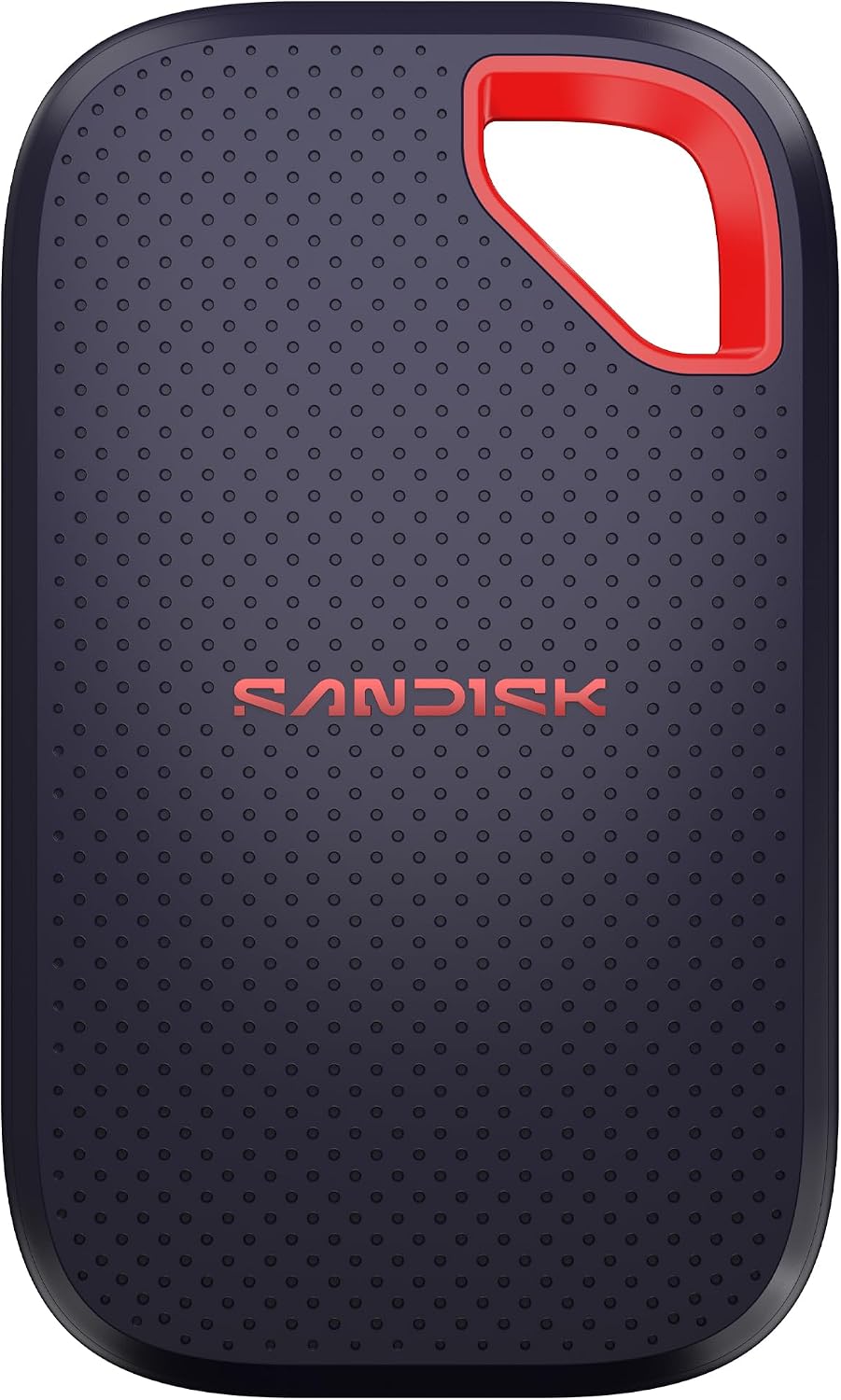
A 1TB portable SSD in a palm-sized case: 1.6 oz / 45 g, 3.35 x 2 x 0.39 inches, USB-C, IP65, and advertised at 2000MB/s. SanDisk's model number is SDSSDE70-1T00-G25.
It is the current generation of what has become the default tool for anyone moving video or photo libraries between machines. The question is not whether it is good — it is whether you will see the speed you are paying for.
The 2000MB/s depends entirely on your port
The drive's headline figure requires USB 3.2 Gen 2 — the 10Gbps interface, not the older 5Gbps one that also uses a USB-C connector.
That distinction is invisible if you are shopping by connector shape. A USB-C port on a 2017 laptop and a USB-C port on a 2024 laptop look identical and are not the same interface. Plug this drive into a 5Gbps port and you are limited to roughly 400–450MB/s by the bus, not by the drive.
A 2000MB/s drive on a 5Gbps port is a 400MB/s drive that cost more. The connector does not tell you which you have; the specification sheet does.
There is a second, quieter problem in the listing itself: the technical details table says "Hard Disk Interface: USB 3.0", while the title says USB-C 3.2 Gen 2. Those are different speeds, and a buyer reading only the table would reasonably conclude they are getting something slower than the title promises. Assume the title is right and the table is stale, but check the port on your machine.
What works
- 2000MB/s is genuinely fast, and roughly twice the previous generation
- IP65 dust and water resistance with a stated 3m drop rating
- 1.6 oz / 45 g and 3.35 x 2 x 0.39 in — smaller than most phones
- 256-bit AES encryption with password protection
- USB-C 3.2 Gen 2 interface, so no adaptor needed on modern machines
What doesn't
- 2000MB/s is a peak read figure that needs a Gen 2 port to reach
- The listing's spec table says "USB 3.0" while the title says 3.2 Gen 2
- Capacity is 1TB and shows as less once formatted
- Password protection is only as good as the password you choose
- Ratings are read speed; write speed is not stated in the listing
Read speed, not write speed
Worth being precise, because it is the number people misread. The listing states Read Speed: 2000MB/s. It does not state a write figure.
For a drive used to copy footage off a card, that is fine. For a drive used to render onto, the write speed is the number that matters, and it is not published here. If your workload is writing rather than reading, look for a stated sequential write figure before buying.
Durability, precisely
- IP65 — dust tight, and protected against water jets. Not submersible. The rating applies with the port cover closed, which is easy to forget after a hurried unplug.
- Up to 3m drop protection — the listing's own ceiling. "Up to" is doing work in that sentence; a 3m fall onto concrete is a different event from 3m onto carpet.
Both are genuine improvements over a bare internal drive in an enclosure, and both are being sold as something they are not if you read them as "indestructible".
The encryption
256-bit AES with password protection is real, and it is off until you switch it on. That matters more than the cipher: an unconfigured drive is a plain disk, and most people who buy "an encrypted SSD" never enable it.
It also only protects you against the threat model it names. A password-protected drive defends data on a drive that is lost or stolen. It does nothing about a drive plugged into a machine with malware on it, and the password is only as strong as the one you set.
Where it fits
Against a NAS, the comparison is not about speed — it is about who holds the data. A drive in a pocket is with you and is lost when you lose it. A NAS at home is reachable but is not with you. The two solve different problems, and the UGREEN DXP2800 review covers the other side of that decision.
Against a cheaper portable SSD, the difference is the interface and the case. If your machine has a Gen 2 port and you move files large enough to notice the difference, this earns its price. If not, a slower drive is not a compromise — it is simply what your port can do.
Who it is for
Someone with a modern USB-C port, moving large files regularly, who wants the drive to survive a bag and a rain shower.
Not someone with an older laptop and a USB-A-to-C adapter, where the adapter becomes the bottleneck and the drive's advantage evaporates.
Questions
Do I need a special port for 2000MB/s?
You need USB 3.2 Gen 2 (10Gbps) or better. On an ordinary USB 3.0 port you are limited to roughly 400-450MB/s by the interface, not the drive.
Is 2000MB/s the write speed?
The listing states it as read speed, and lists "Read Speed: 2000 megabytes per second". Sustained writes will be slower and the listing does not state a figure.
Is it encrypted out of the box?
It supports 256-bit AES with password protection. Encryption only applies once you enable it — an unconfigured drive is an ordinary unencrypted disk.
What does IP65 mean?
Dust tight, and protected against water jets. It is not submersible, and the rating applies to the drive with its port cover properly closed.
Is it good for a NAS or a backup that runs for years?
No. It is a portable drive for moving files. Long-term backup wants a drive that is left plugged in, and better still two of them.
Sources
The bottom line
If it suits how you actually use your network, this is the one to buy.
Check price on AmazonWas this review useful?
Thanks — that helps.
Comments
No comments yet. If something here is wrong or missing, say so — corrections get fixed.