 WebReview
As an Amazon Associate I earn from qualifying purchases. Links below are affiliate links; the price you pay is unchanged.
Basis: TP-Link's Archer BE700 v1 datasheet (2024), the Amazon listing, and the supplied product photography. WebReviewStar has not independently tested this unit.
Review summary
The short answer
Buy it if your internet plan is genuinely faster than 2.5 Gbps and you want the widest Wi-Fi 7 feature set at this price. Skip it if your fast devices are on Ethernet — the 10 Gbps port faces your modem, not your NAS, so everything you own tops out at 2.5 Gbps.
Buy it if
- Your ISP offers a plan above 2.5 Gbps and the modem can deliver it
- You want Wi-Fi 7 features now rather than waiting for prices to fall
- 2.5 Gbps to a wired desktop or NAS is genuinely enough for your work
- You want EasyMesh to extend to other TP-Link units later
Skip it if
- Your fastest devices are wired and you already have more than 2.5G
- You expect 15 Gbps to be reachable on a normal laptop
- You need 6 GHz at 320 MHz and your country restricts it
- You want the advanced HomeShield features without a subscription
What it actually is
A tri-band Wi-Fi 7 router with a fast internet port and ordinary local ports. That single sentence is most of the review, and the rest of this page is about whether the sentence matters to you.
The headline numbers are real: 11528 Mbps on 6 GHz + 2882 Mbps on 5 GHz + 688 Mbps on 2.4 GHz, which sums to the 15 Gbps on the box. The port layout is where the arithmetic gets less generous.
The port that faces outward
TP-Link's datasheet is unambiguous:
Ethernet Ports: 1× 10 Gbps WAN Port + 1× 2.5 Gbps LAN Port + 3× 1 Gbps LAN Ports
Read that as a shape. The widest pipe points at your modem. Every port that faces your own devices is 2.5 Gbps or slower.
For most homes that is completely fine, because the internet plan is the bottleneck. For anyone who has bought a 10-gigabit switch, or who copies large files to a NAS over the LAN, it is the deciding fact: the fastest thing in your house talks to the router at 2.5 Gbps, and no configuration changes that.
A 10 Gbps port on the WAN side is an investment in the next decade of internet plans. A 10 Gbps port on the LAN side is what you need today for local file transfers. This router sells you one and not the other.
Worth noting the count, because listings compress it to "1×10G+1×2.5G+2×1G" — that is two gigabit ports. The datasheet says three. The product photography shows three. Three it is.
What works
- 10 Gbps WAN means the internet side is not the bottleneck for a decade
- Tri-band with a dedicated high-rate 6 GHz radio (11528 Mbps on paper)
- EasyMesh support, so it can be paired with cheaper TP-Link nodes
- Router and access point modes, so it can be demoted to an AP later
- USB 3.0 for simple network storage without a NAS
What doesn't
- The 10 Gbps port is WAN only; LAN is one 2.5G plus three 1G
- 15 Gbps requires a Wi-Fi 7 client with MLO and 6 GHz simultaneously
- 320 MHz on 6 GHz is subject to regional restrictions
- HomeShield advanced features cost extra
- Only FCC and RoHS certifications are listed on the datasheet
15 Gbps, and what it actually requires
The datasheet's own footnote ‡ is unusually direct about it:
"Wi-Fi 7 clients need to support Multi-Link Operation (MLO) and the 6 GHz band to reach up to 15 Gbps when connected to the 2.4 GHz, 5 GHz, and 6 GHz bands of Archer BE700 simultaneously."
So the 15 Gbps figure is the sum of three bands used at once, by a client that supports MLO and can hold links on all three. In practice a laptop connects on one band, maybe two under MLO, and its own radio caps far below the router's.
That is not a trick specific to TP-Link — every BE-class router is marketed this way. But it does mean the number on the box is a statement about the router's capacity, not about the speed you will see.
320 MHz is not universal
The datasheet footnote ¸ notes that 320 MHz on 6 GHz may be unavailable in some regions due to regulatory restrictions. That is the difference between the 11528 Mbps figure and something smaller.
If you are buying this in a market where 320 MHz is not permitted, the 6 GHz radio still works — it just has less width available, and the headline number no longer applies to you. Worth checking against your country's rules rather than assuming the datasheet figure travels.
What it does well
The feature list is genuinely complete for this class:
- Tri-band with three separate radios, which matters more than raw speed — it is what keeps a busy 2.4 GHz IoT band from competing with your laptop
- EasyMesh support, so if one router does not cover the house, a cheaper TP-Link node extends it rather than replacing it
- Access Point mode, which extends the useful life of the device when a better router arrives
- USB 3.0 for a shared drive without buying a NAS
- QoS by device, which is the setting that actually fixes video calls in a crowded house
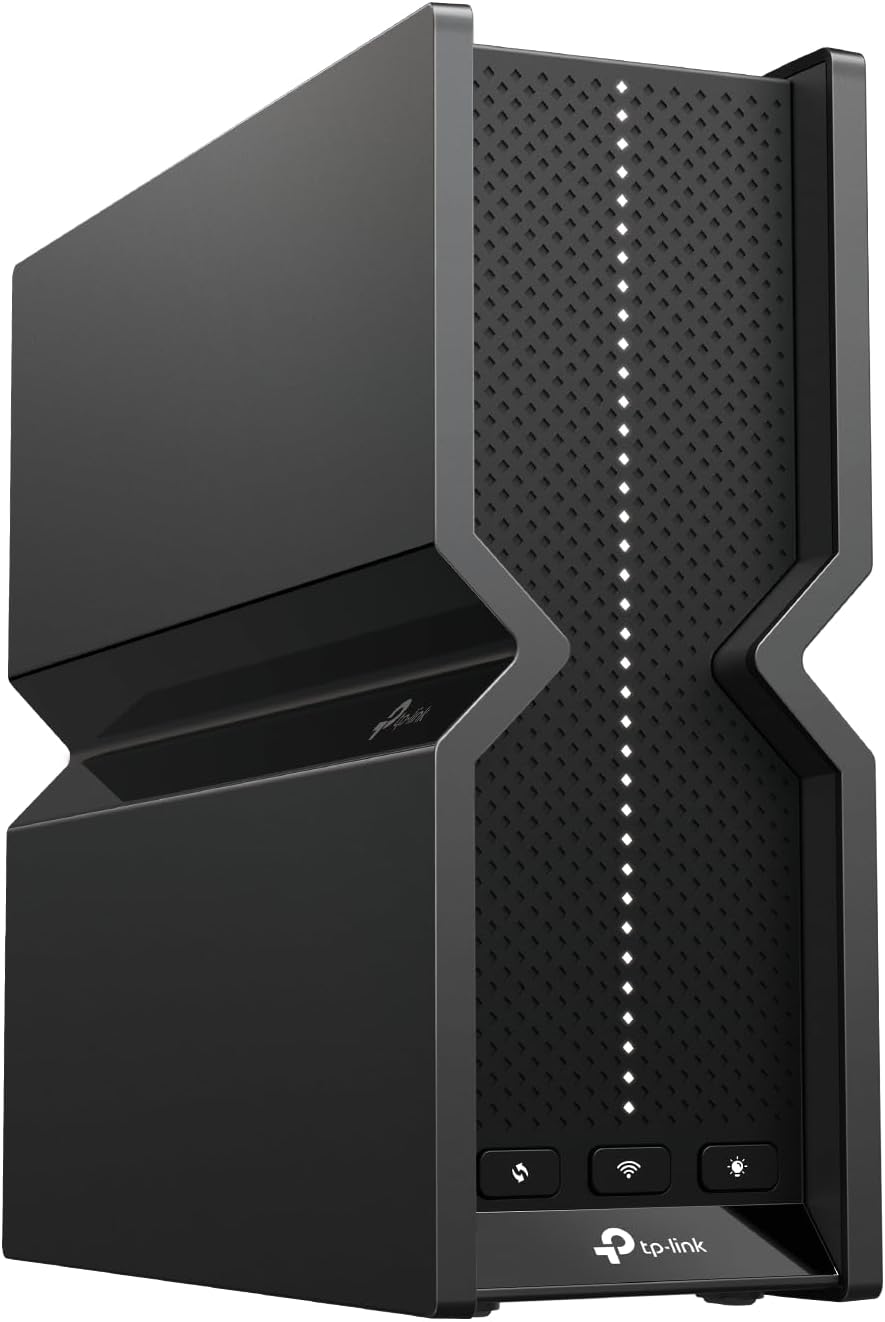
The physical size is worth noting too: 76 × 231.7 × 203 mm — that's about 3 × 9.1 × 8 inches. Six internal antennas mean no external aerials to orient, but it is not a small object on a shelf.
Two things to weigh
HomeShield's advanced features require a paid subscription. The datasheet says so in its own footnote. Basic network protection is included; the tiered features are not. It is normal practice, and it should be part of the price calculation.
Certifications listed are FCC and RoHS. No mention of the equivalent marks for other regions on this datasheet — which is the US version. If you are buying in another market, the model and certification differ.
Who it is for
Someone whose ISP plan is or will be above 2.5 Gbps, who wants a current-generation tri-band radio, and whose wired devices are content at 2.5 Gbps.
Not someone trying to move large files around their own network. For that, the money is better spent on a switch or a router with multi-gig LAN ports — and the UGREEN DXP2800 review covers the other end of that equation, a NAS that also stops at 2.5-gigabit.
Questions
Does it have a 10 Gbps LAN port?
No. The datasheet lists 1x 10 Gbps WAN, 1x 2.5 Gbps LAN and 3x 1 Gbps LAN. The 10 Gbps port is for the modem side only.
How many gigabit LAN ports?
Three. Some listings summarise the port set as "1x10G+1x2.5G+2x1G" but the datasheet hardware section says three 1 Gbps LAN ports.
Will I get 15 Gbps?
Not from any single device in practice. TP-Link's own footnote says it requires a Wi-Fi 7 client supporting MLO and 6 GHz reaching the router on all three bands simultaneously. Treat it as the sum of the theoretical per-band rates.
Does it support 6 GHz 320MHz in every country?
No. The datasheet notes 320 MHz on 6 GHz may be unavailable in some regions due to regulatory restrictions.
Can I use it as a mesh node?
Yes. It supports EasyMesh and also has an Access Point mode, so it can be driven by or accompany other equipment.
Sources
The bottom line
If it suits how you actually use your network, this is the one to buy.
Check price on AmazonWas this review useful?
Thanks — that helps.
Comments
No comments yet. If something here is wrong or missing, say so — corrections get fixed.